
AI & LLMs
Integrate AI functionality to Fumadocs.
Docs for LLM
Serve your docs as Markdown for LLMs and AI agents:
npx @fumadocs/cli feature llmsIt enables processed Markdown on your docs collection, adds docsLlms to lib/source.ts, and serves the files below. The generated files are listed here if you prefer a manual setup.
docsLlms
llms() renders your docs for LLMs. renderPage turns one page into Markdown, from the processed document rather than the raw file content:
import { llms } from 'fumadocs-core/source';

export const docsLlms = llms(source, {
  renderPage: async (page) => `# ${page.data.title} (${page.url})

${await page.data.getText('processed')}`,
});
| Method | Output |
|---|---|
index(lang?) | the llms.txt index, built from the page tree |
page(page) | one page, rendered with renderPage |
full(lang?) | every page rendered with renderPage, joined |
files() | the paths of the files for agents |
serve(path) | the response for the file at a path |
renderPage is required
page(), full(), files() and serve() are only available when you pass renderPage, since
Fumadocs cannot know how your content source exposes its Markdown.
renderPage reads the processed Markdown of pages, so enable includeProcessedMarkdown:
import { defineDocs } from 'fumadocs-mdx/config';

export const docs = defineDocs({
  dir: 'content/docs',
  docs: {
    postprocess: {
      includeProcessedMarkdown: true,
    },
  },
});
MDX components appear as JSX syntax. To render them into their Markdown form, pass your MDX components as page props.
Runtime content sources like @fumadocs/local-md resolve on demand. Pass their getSource and the CLI generates the same files:
export const docsLlms = llms(getSource, {
  renderPage: (page) => `# ${page.data.title} (${page.url})

${page.data.content}`,
});
With getSource, index() and indexNode() return a promise instead of a string.
Files
The CLI serves these files for AI agents:
/llms.txt: the index of your docs, with a link to the Markdown of each page./llms-full.txt: the content of every page.<page>.md: the Markdown of a page, like/docs/ui.md. The page at/is/index.md.<section>/llms-full.txt: the content of a section, like/docs/ui/llms-full.txt.
To leave pages out of the files, like drafts, pass filter. llms.txt still lists them, linked to their HTML page:
export const docsLlms = llms(source, {
  filter: (page) => page.slugs[0] !== 'drafts',
  renderPage: async (page) => `# ${page.data.title}\n\n${await page.data.getText('processed')}`,
});
In the files, renderUrl receives the path of the file that a link points to, like the .md file of a page.
Agents that read the HTML of a page find its Markdown through a link in the <head>:
<link rel="alternate" type="text/markdown" href="/docs/ui.md" />Sections
A section is a folder of the page tree with its own llms-full.txt, so agents can read large docs one part at a time. Every root folder is a section by default. In llms.txt, the line of the folder links to the llms-full.txt of its section.
To choose the sections, pass section. It receives a folder and returns whether the folder is a section:
export const docsLlms = llms(source, {
  // every folder with an index page
  section: (folder) => folder.index !== undefined,
  renderPage: async (page) => `# ${page.data.title}\n\n${await page.data.getText('processed')}`,
});
On a large site, collapse sections to keep llms.txt short. llms.txt lists a collapsed section as one link to its own <section>/llms.txt, which lists its pages:
export const docsLlms = llms(source, {
  section: (folder) => (folder.root ? { collapse: true } : false),
  renderPage: async (page) => `# ${page.data.title}\n\n${await page.data.getText('processed')}`,
});
The files of a section are served under the URL of its folder's index page. A folder without an index page uses the URL directory of its pages instead. When two folders share a URL, like folder groups, pass asPath to serve one of them at another path, like { asPath: '/docs/guides' }.
Routes
files() lists the paths of the files, and serve(path) responds with the file at a path, so each route only passes the request path to serve().
The docs page docs/$ matches every path under /docs, so the routes of the files under the docs use a more specific path, like docs/{$}.md:
import { createFileRoute } from '@tanstack/react-router';
import { docsLlms } from '@/lib/source';

export const Route = createFileRoute('/llms.txt')({
  server: {
    handlers: {
      GET: async ({ request }) => (await docsLlms.serve(new URL(request.url).pathname)) ?? new Response(null, { status: 404 }),
    },
  },
});
serve() returns undefined for a path without a file, so a middleware can pass the request on. With hideLocale: 'always', URLs don't carry the locale: pass the language as the second argument of serve() and the first of files().
Static Output
In SPA mode, prerender the files with Nitro. TanStack Start requests prerendered paths with a trailing slash, which the routes of files don't match. Vite loads the config without your plugins, so load the source with runnerImport:
import { defineConfig, runnerImport } from 'vite';
import { fumadocsMdx } from 'fumadocs-mdx/vite';
import { nitro } from 'nitro/vite';

const { docsLlms } = (
  await runnerImport<typeof import('./src/lib/source')>('./src/lib/source.ts', {
    plugins: [fumadocsMdx()],
    resolve: { tsconfigPaths: true },
  })
).module;

export default defineConfig({
  plugins: [
    // other plugins
    nitro({
      prerender: { routes: await docsLlms.files() },
    }),
  ],
});
Accept
AI agents can ask for Markdown with the Accept header.
Redirect to the Markdown of a page when the request prefers it:
import { createMiddleware, createStart } from '@tanstack/react-start';
import { redirect } from '@tanstack/react-router';
import { isMarkdownPreferred } from 'fumadocs-core/negotiation';

const llmMiddleware = createMiddleware().server(({ next, request }) => {
  const url = new URL(request.url);

  // the routes of files serve paths like `/docs/ui.md`
  if (
    url.pathname.startsWith('/docs') &&
    !/\.(md|txt)$/.test(url.pathname) &&
    isMarkdownPreferred(request)
  ) {
    url.pathname += '.md';
    throw redirect({ href: url.href, headers: { Vary: 'Accept' } });
  }

  return next();
});

export const startInstance = createStart(() => ({
  requestMiddleware: [llmMiddleware],
}));
The same URL now has two representations, so the response needs Vary: Accept to prevent cache collisions.
Page Actions
Page actions let readers copy the Markdown of a page, or open the page in AI apps. They read the .md file of the page.
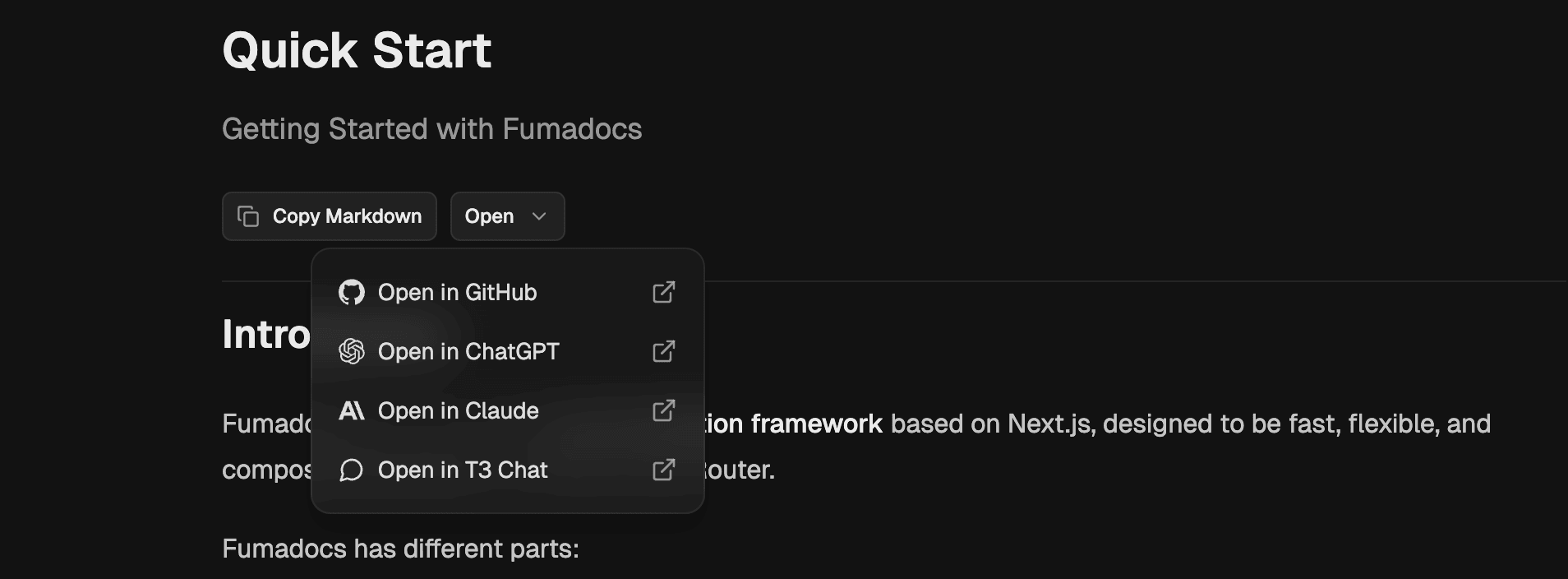
Return the Markdown URL from the loader of your docs page, and render them in the page:
import { MarkdownCopyButton, ViewOptionsPopover } from 'fumadocs-ui/layouts/docs/page';

// in your loader
return {
  path: page.path,
  markdownUrl: `${page.url}.md`,
};

// in your page
<div className="flex flex-row gap-2 items-center border-b pt-2 pb-6">
  <MarkdownCopyButton markdownUrl={markdownUrl} />
  <ViewOptionsPopover
    markdownUrl={markdownUrl}
    githubUrl={`https://github.com/${owner}/${repo}/blob/main/content/docs/${encodeURI(path)}`}
  />
</div>;
MCP Server
Expose your docs to AI agents through a MCP server, with tools to list, search and read pages.
npx @fumadocs/cli feature mcpIt creates a /api/mcp route with the streamable HTTP transport, on top of the LLM routes above.
The tools come from fumadocs-core/mcp.
import { createFileRoute } from '@tanstack/react-router';
import { createMcpHandler, McpServer } from '@modelcontextprotocol/server';
import { registerSearchTool, registerSourceTools } from 'fumadocs-core/mcp';
import { createFromSource } from 'fumadocs-core/search/server';
import { docsLlms, source } from '@/lib/source';

const handler = createMcpHandler(() => {
  const mcp = new McpServer(
    {
      name: 'docs',
      version: '1.0.0',
    },
    // the tools never change, a stream to watch them would hold a serverless function open
    { capabilities: { tools: { listChanged: false } } },
  );

  registerSourceTools(mcp, source, docsLlms);
  registerSearchTool(mcp, createFromSource(source));

  return mcp;
});

export const Route = createFileRoute('/api/mcp')({
  server: {
    handlers: {
      GET: async ({ request }) => handler.fetch(request),
      POST: async ({ request }) => handler.fetch(request),
      DELETE: async ({ request }) => handler.fetch(request),
    },
  },
});
Connect an agent to it with:
{
  "mcpServers": {
    "docs": { "url": "https://your-site.com/api/mcp" }
  }
}
WebMCP
Experimental
WebMCP is an early web standard, available in
Chrome 149+ behind the #enable-webmcp-testing flag and an origin trial. The API may still
change.
Where the MCP server above serves agents connecting to your site, WebMCP exposes tools to the AI agent of the browser, on the page the reader is viewing.
npx @fumadocs/cli feature webmcpIt creates a WebMCP component on top of the LLM routes. Render it inside <RootProvider />.
search_docsqueries the search API route. You can replacefetchClientwith other clients.read_pagefetches the Markdown of a page, from/docs/page.md.
Ask AI
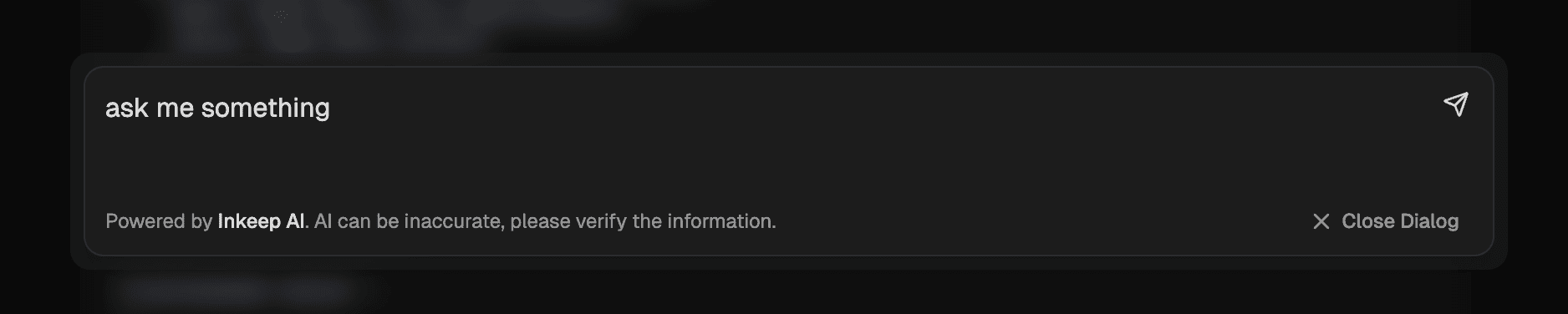
You can install the AI chat dialog using Fumadocs CLI.
npx @fumadocs/cli add ai/openrouterIt's automatically configured for OpenRouter using Vercel AI SDK, with a /search tool for AI.
You can use other models by updating the /api/chat route.
Fumadocs doesn't provide the AI model, it's up to you.
Your AI model can use the llms-full.txt file generated above, or more diversified sources of information when combined with 3rd party solutions.
Docs layouts render the chat from their aiChat option. The option takes client state, so create a client component for your layout and use it in place of the original layout:
'use client';
// or the Notebook, Glass and Spacious layouts
import { DocsLayout as Layout, type DocsLayoutProps } from 'fumadocs-ui/layouts/docs';
// the installed components
import { AIChat, AIChatPanel, useAIChat } from './search';

export function DocsLayout(props: DocsLayoutProps) {
  return (
    <AIChat>
      <ChatLayout {...props} />
    </AIChat>
  );
}

function ChatLayout(props: DocsLayoutProps) {
  const { open, setOpen } = useAIChat();

  return (
    <Layout
      {...props}
      aiChat={{ open, onOpenChange: setOpen, panel: <AIChatPanel />, trigger: true }}
    />
  );
}
How is this guide?